 sDashCam
Your phone as a dash cam and body cam
Gap-free loop recording for cars, motorcycles, scooters, bikes and delivery riders. Impact clips are protected, and your videos stay on your phone. On Android it keeps recording with the screen off.
- No account
- Videos stay on your phone
- No cloud
- Records offline
See it in action
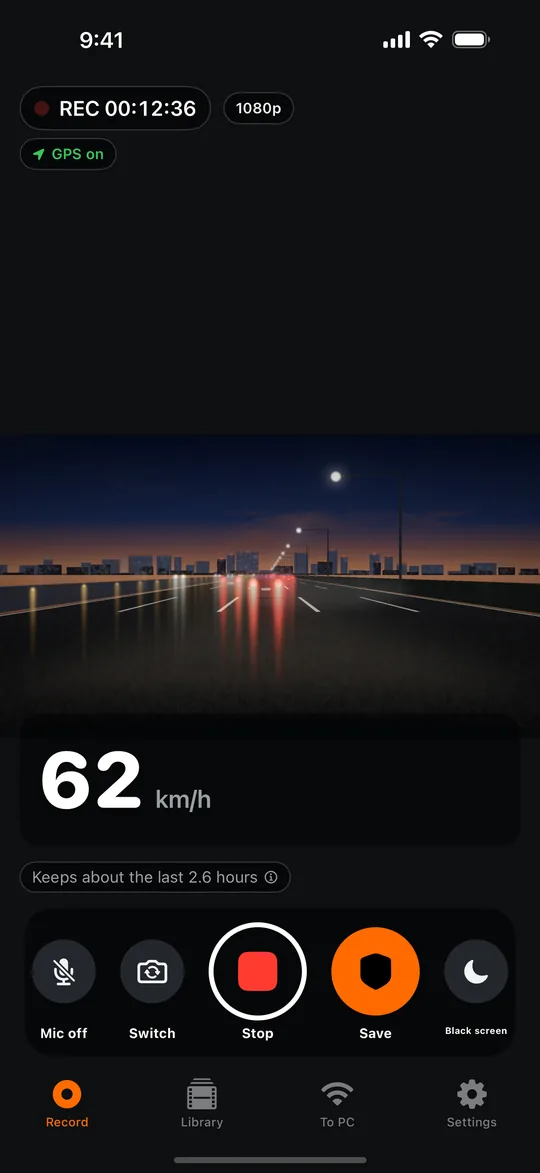
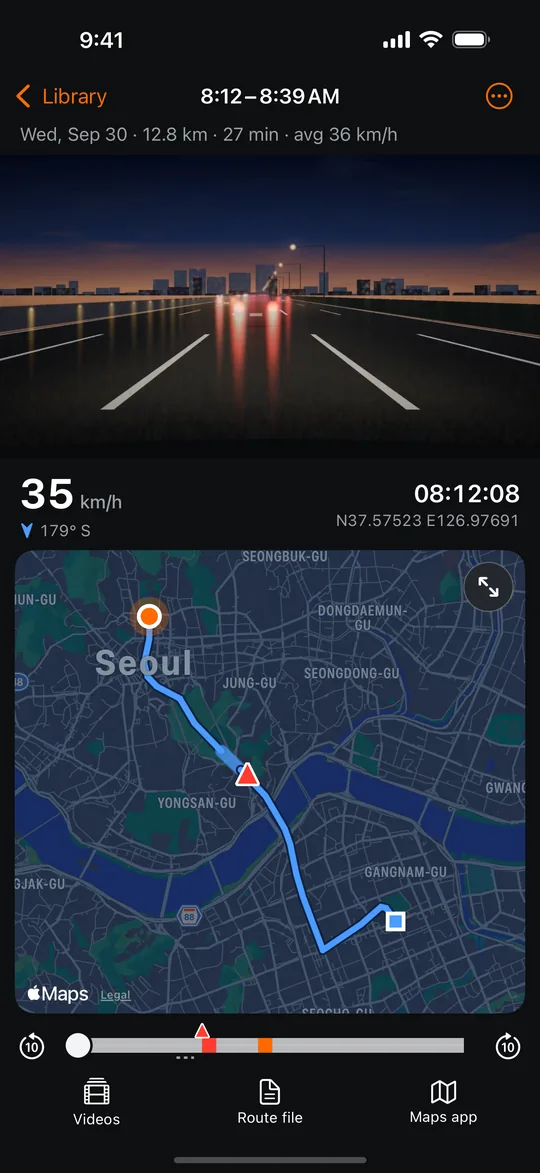
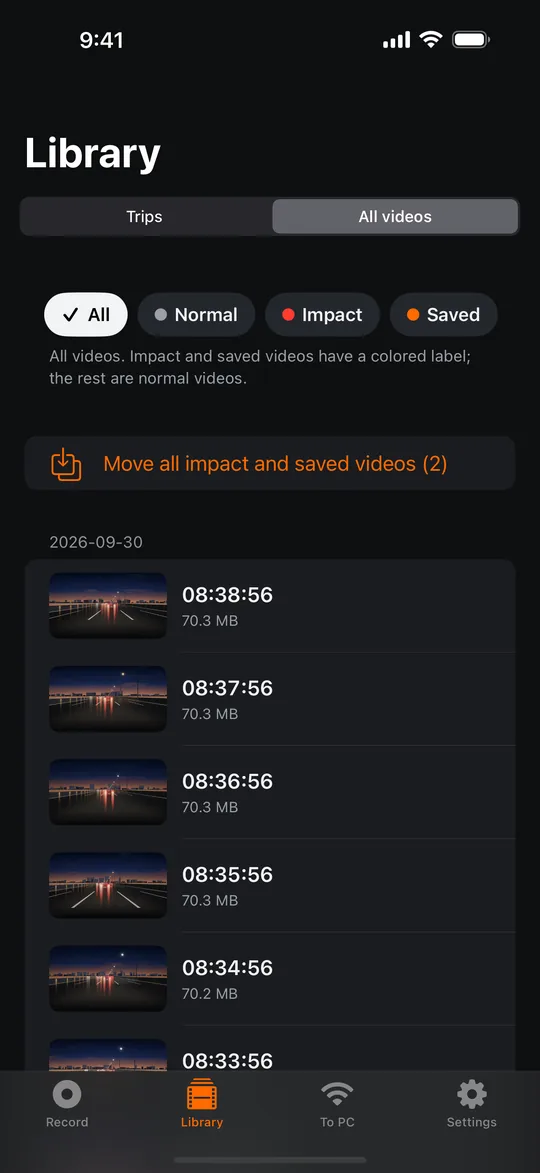
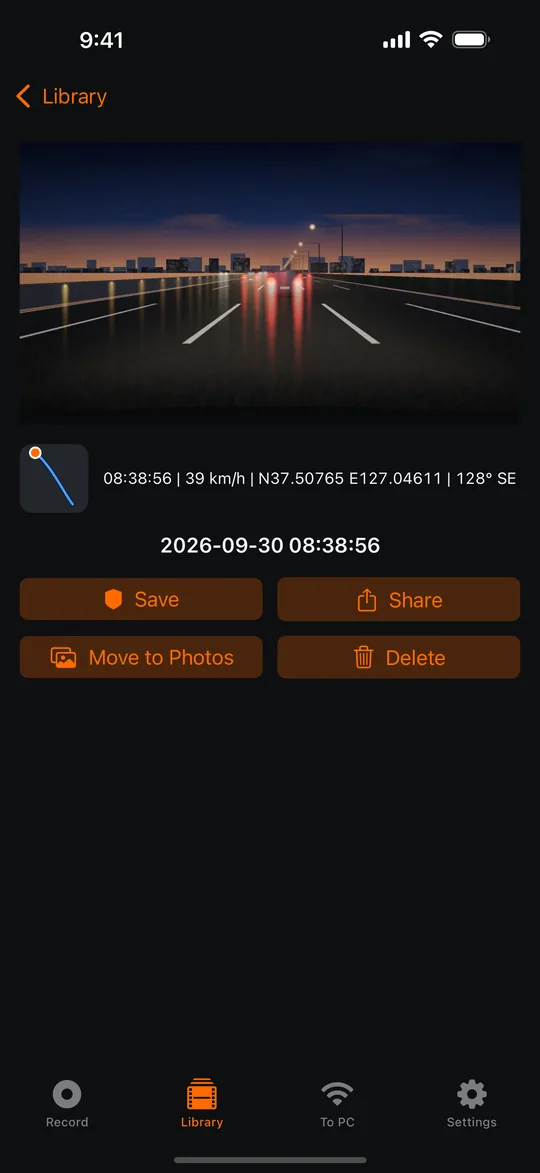
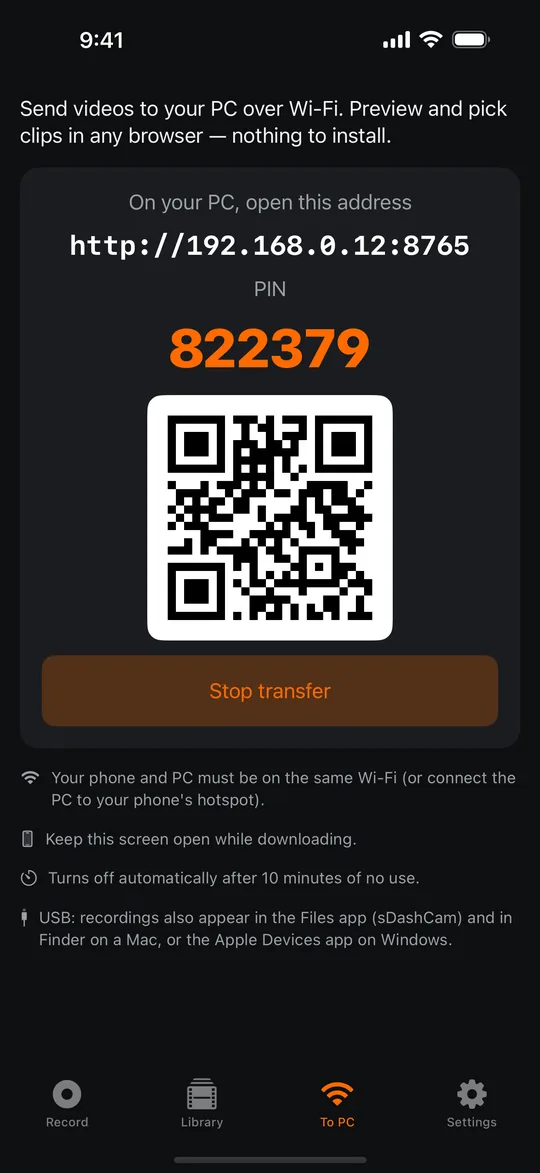
Screens from the iPhone app, shown with sample footage. The Android app has the same features.

Built for long drives and rides
Mount it, press record, and keep your eyes on the road.
Loop recording
Records in 1-, 3- or 5-minute files back to back, with no gaps between them. When your storage limit is full, the oldest normal clips are deleted first. If the app stops or the phone powers off, the footage up to the last second or so stays playable.
Impact and event protection
When the G-sensor detects an impact or a fall, the clip moves to a protected folder. Press Save — or a volume button — to keep a moment yourself. Loop recording never deletes clips you save yourself.
Time, speed and GPS stamp
Burns the date and time into the video. Speed, GPS coordinates, direction and your own text are optional. A 1-second log keeps position and speed next to each clip.
Every trip on a map
Each drive becomes a trip with its route, distance, speed and the clips recorded on the way. Replay it with a live readout of time, speed and position. Routes stay on your phone for 30 days, even after loop recording replaces the videos. The map background is optional.
Heat care
Long recording while charging in summer heat is hard on any phone. sDashCam lowers frame rate and quality step by step to help keep the phone from overheating, and restores them when it cools down.
Find and copy fast
Browse clips by date, impact and saved. Export protected clips in one tap — to the gallery on Android, to the Photos app on iPhone — copy by USB, or download over Wi-Fi from any PC browser with a PIN. Nothing to install.
Private by design
No account and no cloud. Videos and GPS location data stay on your phone unless you share or transfer them. The optional map background sends only the area you view to Google or Apple. The microphone is off by default.
Android and iPhone
The same features, recorded the way each system allows.
Android
- Keeps recording with the screen off or while you use navigation and other apps.
- A notification with Save and Stop buttons is shown while it records (if notifications are allowed).
- Protected clips can be exported to the gallery (Movies/sDashCam) for USB copy.
iPhone
- Records while sDashCam is open on screen. Black-screen mode keeps the display dark.
- If the app leaves the screen, recording pauses and you get a notification (if notifications are allowed).
- Recordings appear in the Files app and in Finder on a Mac, and protected clips can be saved to the Photos app in one tap.
Do not operate the app while driving. GPS speed is for reference and may differ from your vehicle's speedometer.
Frequently asked questions
Does sDashCam upload my videos?
No account is required and the developer runs no server for the app. Videos and GPS location data stay on your phone unless you share, export or transfer them yourself. If you turn on the optional map background for trips, the area you view is sent to Google (Android) or Apple (iPhone) to draw the map.
How much footage does it keep?
You set a storage limit. When it is full, the oldest normal clips are deleted first. Impact clips have their own space; when it fills up, the oldest impact clips are replaced. Clips you save yourself are never deleted automatically.
Does it record in the background?
On Android, yes: it keeps recording with the screen off or while you use other apps, and shows a notification while it records. On iPhone, it records while the app is on screen; black-screen mode keeps the display dark, and you get a notification if the app leaves the screen (if notifications are allowed).
Does it record sound?
The microphone is off by default. Turn it on only if you need sound. Recording other people's conversations may be illegal where you live.
Will my phone get hot?
Recording for hours while charging in the sun makes any phone hot. sDashCam lowers the quality step by step to help keep the phone from overheating and restores it when it cools down. A sunshade and a vibration-damping mount help.
Is sDashCam free?
Yes. The free version shows a full-screen ad now and then after you finish something, such as closing a video — never while recording. Remove ads (Premium) is a one-time purchase, not a subscription. Recording, loop recording, impact detection, stamps, trips, the library and transfer are all free.
Can I use the videos as evidence or for insurance?
Whether a video is accepted is decided by the police, a court or your insurer, not by the app. sDashCam cannot guarantee that a recording exists for a given moment or that it will be accepted.
Support
Questions, bug reports or feedback: wellpeachmarket@gmail.com
Please include your phone model, OS version and app version. Videos are not sent automatically — attach only what you choose to share.